AI Agents & Enterprise Automation
How AI agents and automation actually work, where they help, and where humans must stay in the loop — with concrete examples, workflow diagrams, and honest limitations.
Chatbot vs AI agent — in plain English
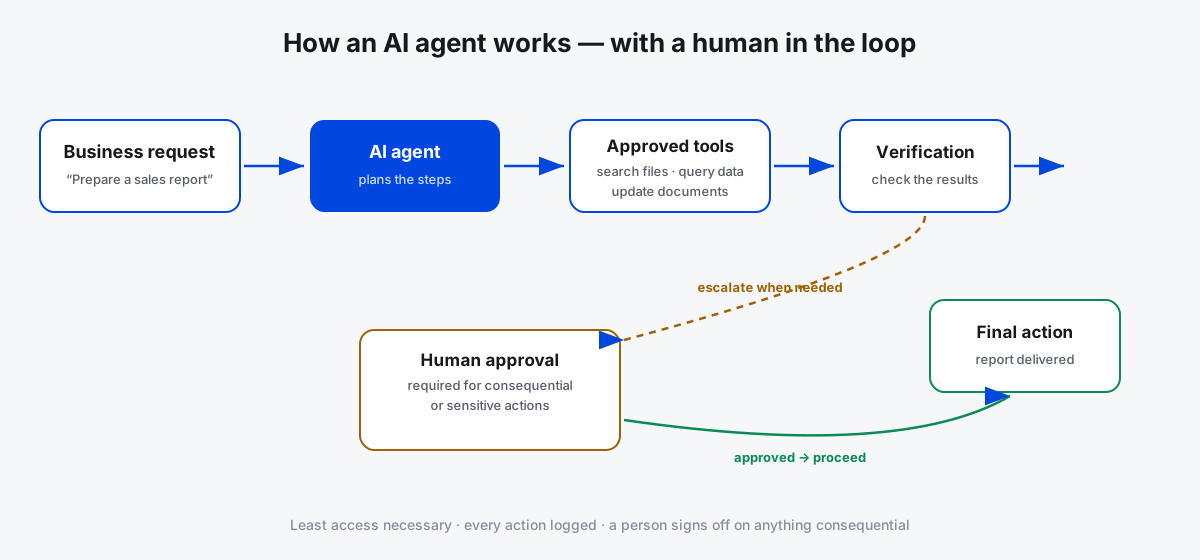
Think of an ordinary chatbot as an assistant that answers your questions. An AI agent can also use approved tools to perform tasks — searching documents, updating a database, or preparing a report — and it still needs appropriate permissions, with important actions requiring human approval.
A worked example: customer support triage
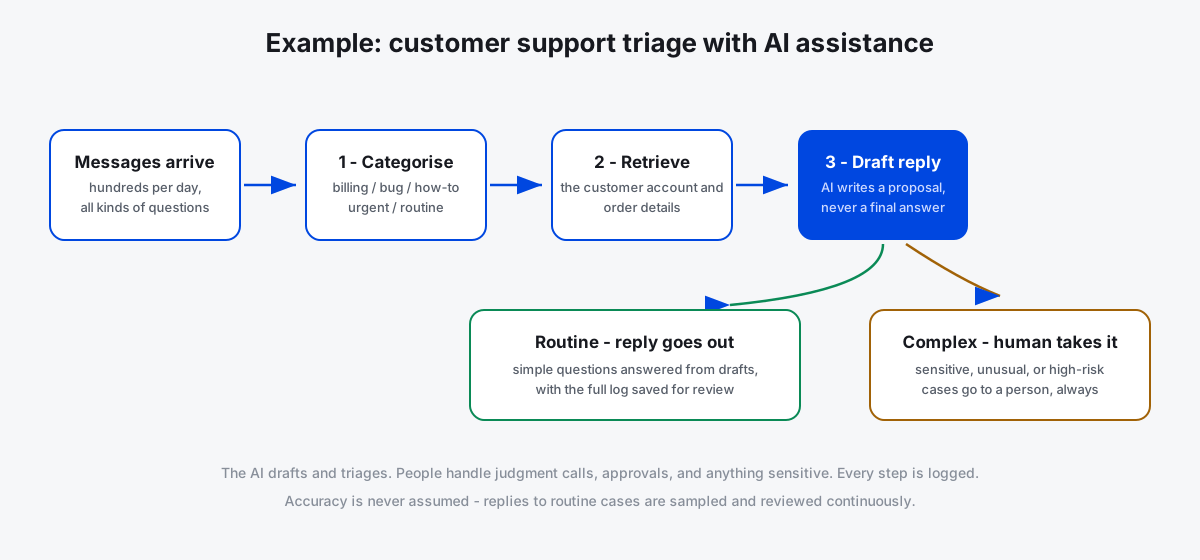
A company receives hundreds of customer support messages. Traditionally, a person reads and answers every one. An AI-assisted pipeline categorises each message, retrieves the relevant account information, drafts an answer, and escalates complicated or sensitive cases to a human. The AI drafts — a human approves anything consequential, and the system logs what happened.
What AI agents do well — and where they fail
Good at
- Repetitive, well-defined tasks
- Drafting and summarising at volume
- Routing and categorising information
Needs humans for
- Judgment calls and sensitive cases
- Anything with legal, financial, or personal impact
- Checking accuracy — agents can be confidently wrong
Permissions, privacy, error handling, and escalation paths matter more than the underlying model. Give an agent the least access it needs, log every action, and always keep a human approval step for consequential decisions.
Tools to start with
From the verified directory — plan details and limitations on each profile.
GitHub Copilot
AI Coding AssistantsAn AI pair programmer inside your editor that suggests code as you type and explains unfamiliar code.
Zapier
AI Workflow BuildersA no-code automation platform connecting thousands of apps, now with AI steps inside workflows.
LangChain
AI Agents & FrameworksAn open-source framework for building LLM applications and AI agents — chains, tools, memory, and retrieval.